Leave yourself a tap-in.
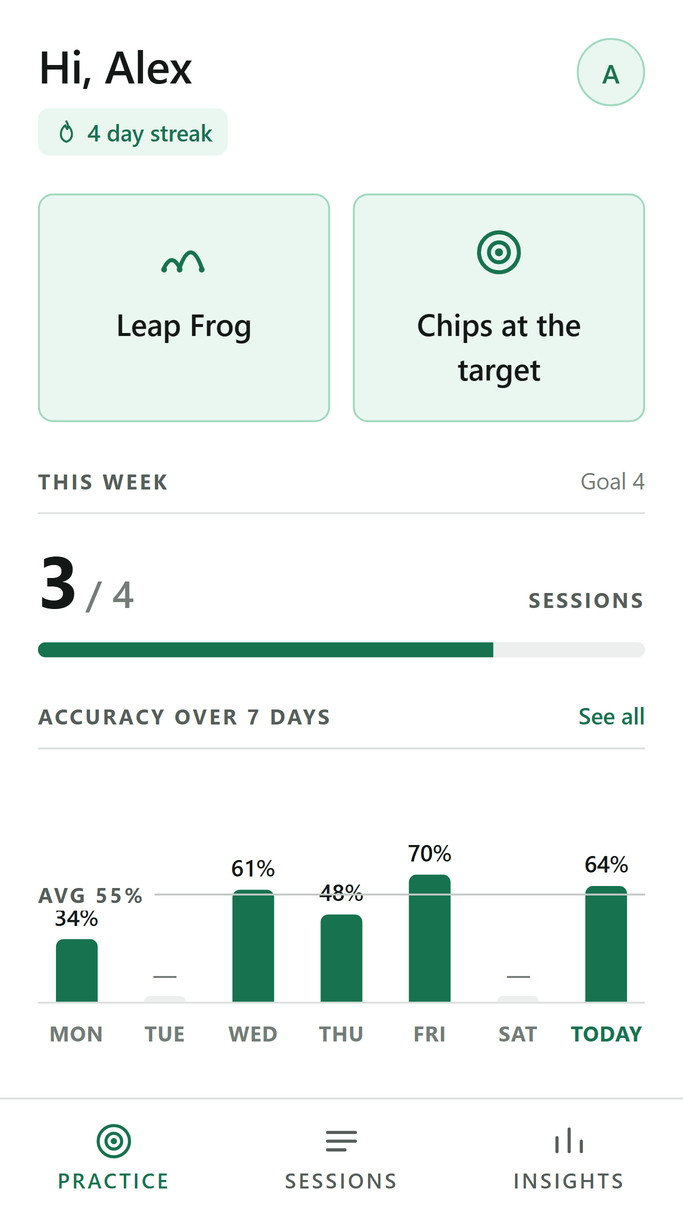
Short Game keeps one number: how many of your chips finish close enough to leave a tap-in. Run a drill on the practice green or log a session you already played.
Two ways to record a session
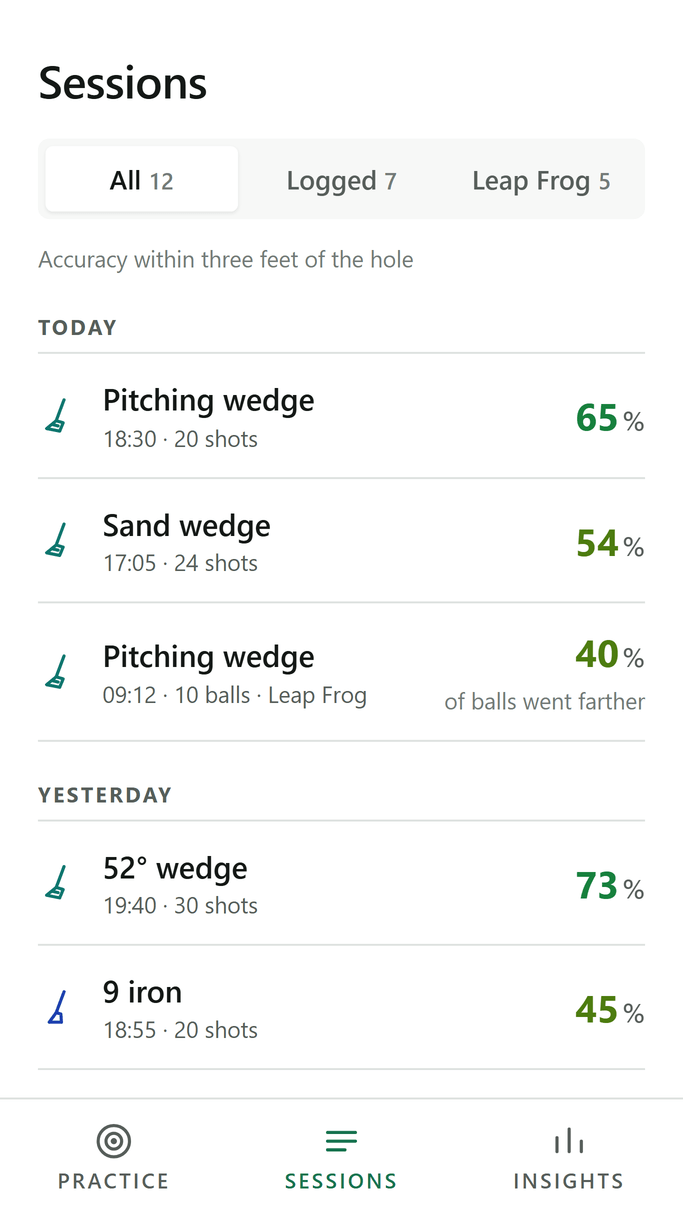
Both land in the same history and count towards the same statistics.
Leap Frog drill
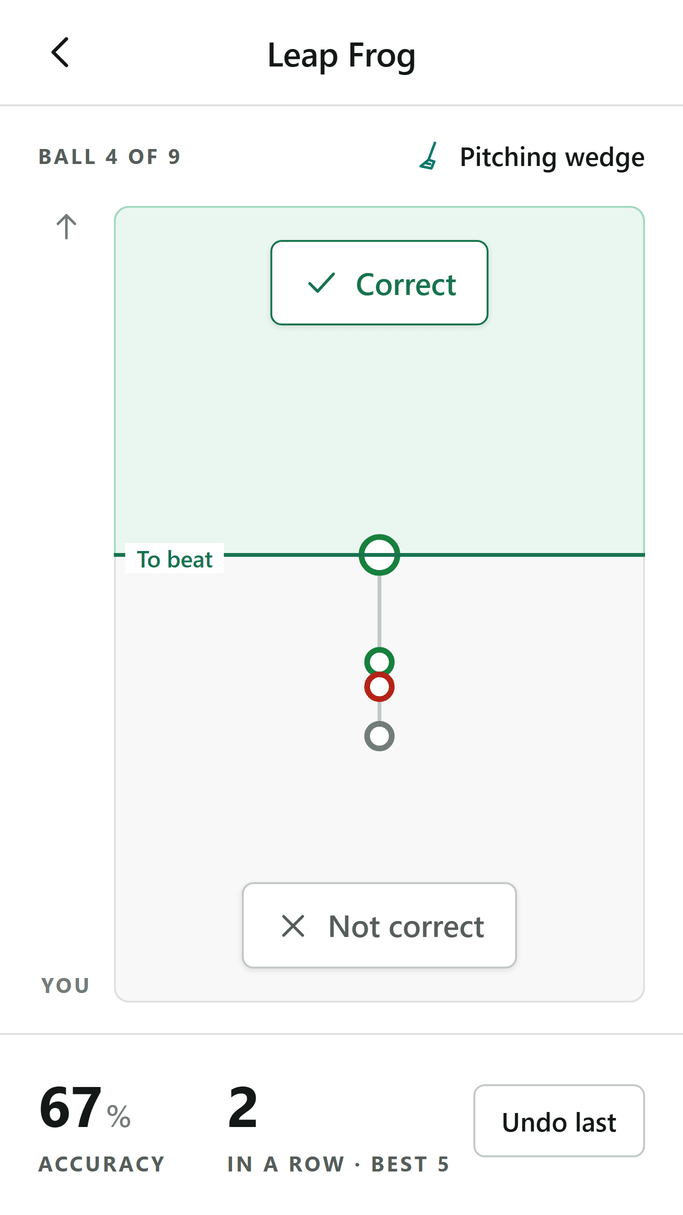
Every ball has to stop farther than the one before it; the first one sets the mark. You judge each chip with one tap and the app keeps score while you practise — how many in a row, and how today compares with your best run.
You pick the club and how many balls. The result lands in that club’s statistics.
Chips at the target
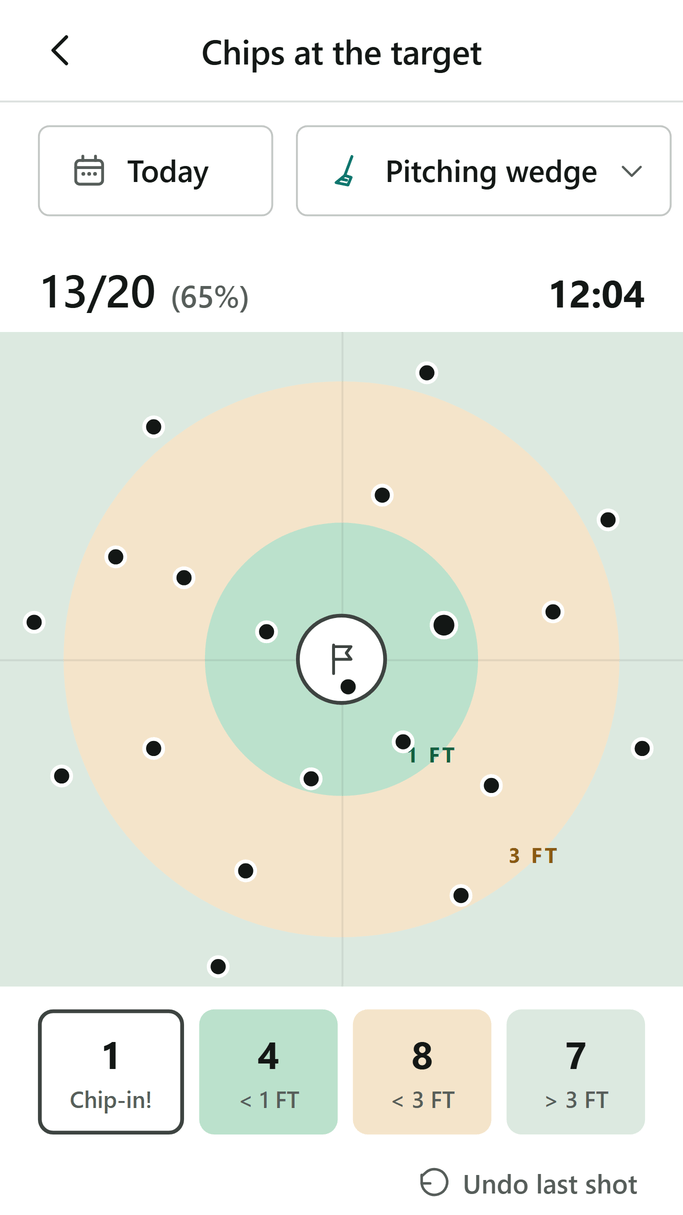
Chip, look where the ball stopped, tap the green in that spot. Four zones — holed, within a foot, within three feet, further out — and the clock runs itself from the first chip to the last.
The club and one chip are all it needs. Distance, a note and a photo are optional, the time is measured for you, and the day and hour can be set to whenever you actually played.
What you get back
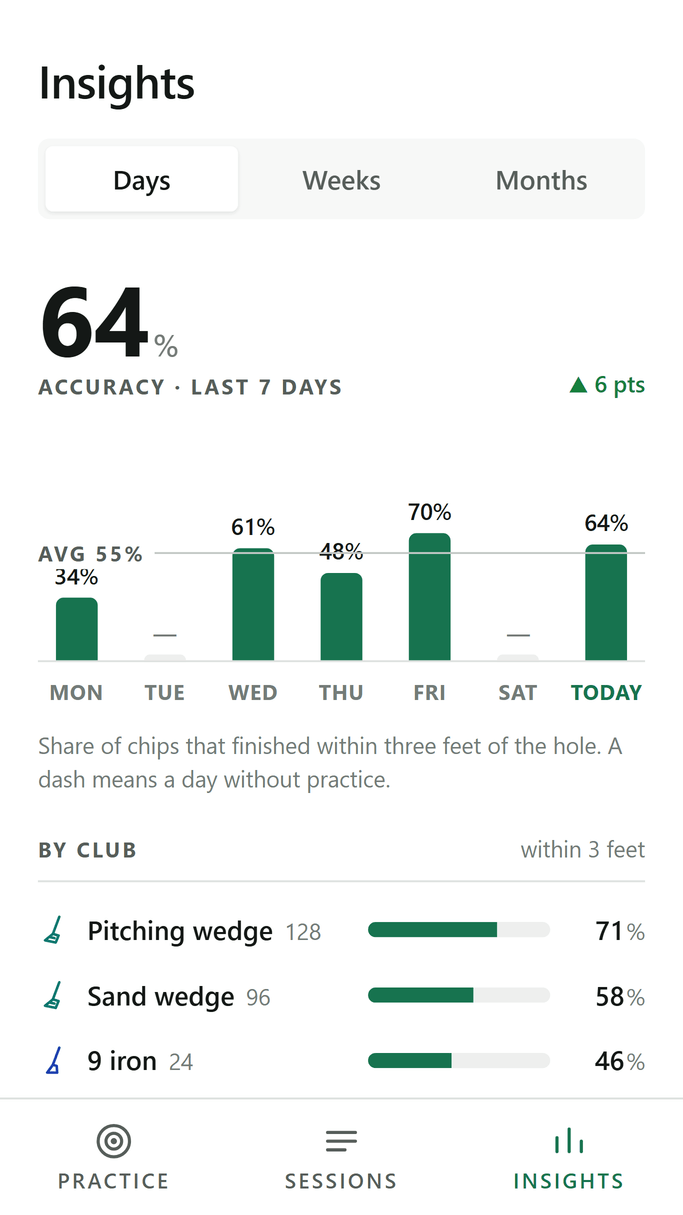
After a few sessions you know which club to rely on, when your practice actually works, and whether you are better than a month ago.
Your sessions stay yours
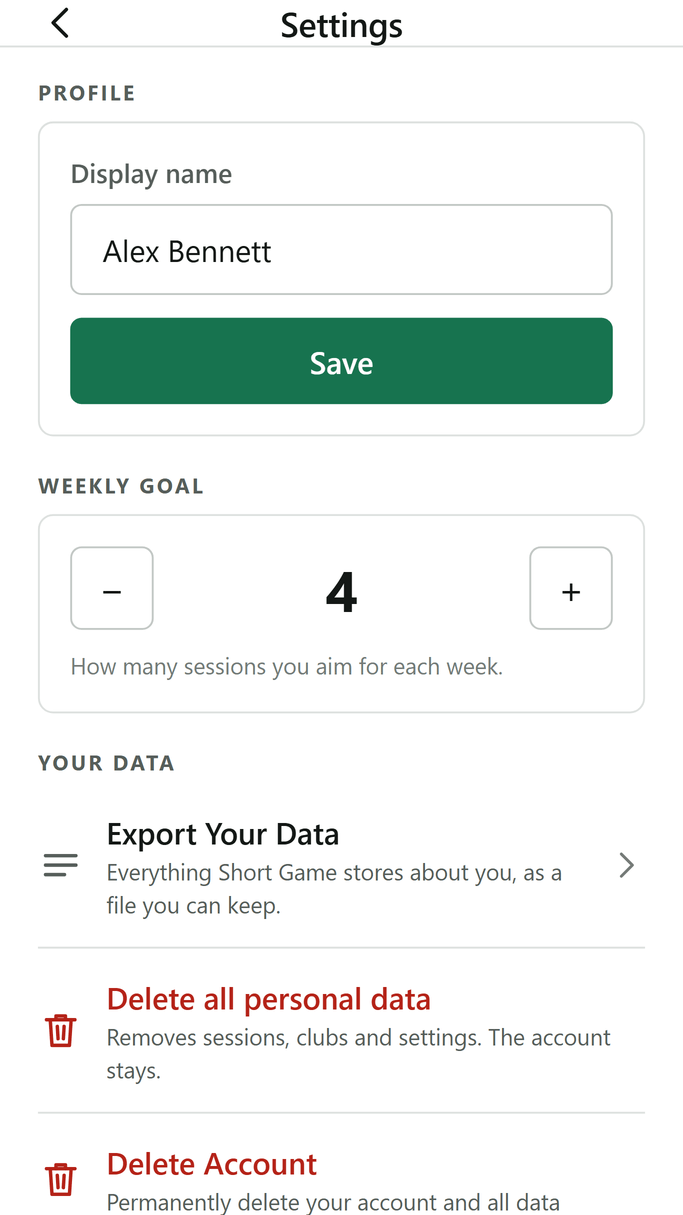
Three things you can do with your data, all of them inside the app, none of them needing an email to anyone.
Take it with you
Settings → Your data → Export Your DataEverything Short Game stores about you, as a file you can keep.
Clear the history
Settings → Your data → Delete all personal dataSessions, results, photos, clubs and settings go. The account stays, so you can start again from zero.
Leave altogether
Settings → Your data → Delete AccountThe account and everything in it is removed from the servers straight away. How deletion works
Who is behind it
Hi, I am Mateusz Janiszewski. I have been playing for five years and I am a member of Armada Golf Club in Bytom, Poland.
Short Game came out of my own practice. After an hour of chipping I could remember three good ones — not how many of the twenty actually finished by the hole. So I started counting, and the counting turned into this app.
I post the practice as it happens on Instagram: the drills, the numbers and what comes of them on the course. Come by, and tell me what the app still gets wrong.
See @dzikigolf on InstagramFrequently asked questions
- What exactly does Short Game measure?
- One thing: how often a chip leaves you a tap-in. The app counts a chip as good when it finishes within three feet of the hole, and every session feeds that number, per club and over time.
- What does the app not do?
- It does not analyse your swing, it does not judge your technique and there is no AI inside it — it counts what you give it and shows how that changes over time. Take the swing to your PRO, who can watch you live; no model will notice that your weight shifts too late. The app takes the other half of the job: it keeps the numbers, so you can see whether what you practise with your coach actually works.
- What is the Leap Frog drill?
- A chipping ladder. Every ball has to stop farther than the one before it, and the first one sets the mark. You pick the club and how many balls, then judge each chip with one tap while the app keeps the running score.
- Do I have to hold the phone while I practise?
- No — it can stay in the bag. A chip goes in with one tap on the green, so you can record as you play or set the day and time afterwards and tap in the session you remember. Only the stopwatch needs you there, and the duration can be corrected when you edit the session.
- Does it cost anything?
- No. Short Game is free, carries no ads and has nothing to buy inside it.
- Which phones does it run on?
- Android 7.0 and newer. An iPhone version is in preparation and will follow soon.
- Which languages does it speak?
- English, Polish, German, French, Spanish and Czech. The app starts in your phone’s language, uses English if the phone is set to anything else, and lets you switch it yourself in your profile.
- Where is my data kept, and how do I get rid of it?
- In Google Firebase, tied to your account. You can export everything as a file, wipe the history but keep the account, or delete the account outright — all three in Settings → Your data. How deletion works
Count the chips that finish by the flag
Free, without ads. Sign in with an email address or with Google, and your sessions follow you to the next phone.